Every time you send money using Google Pay, PhonePe, Paytm, or a banking app, you are using something called a VPA. Most people simply type an ID like name@bank and complete a payment within seconds. However, very few users actually know what this ID represents or how it works behind the scenes.
The VPA full form is Virtual Payment Address. It acts as a unique payment identifier that allows UPI transactions without sharing sensitive information like bank account numbers or IFSC codes. Instead of exchanging bank details, users only need to share their VPA. In this guide, we explain what is VPA, how it works, provide real VPA examples, show how to create one on major apps, and cover common troubleshooting and security practices.
VPA Full Form and Meaning – What Does VPA Stand For?
The VPA full form in UPI is Virtual Payment Address. It is a digital payment identifier created as part of India’s Unified Payments Interface (UPI) system, which was developed by the National Payments Corporation of India (NPCI).
In simple terms, a VPA acts like an email address for payments. Instead of remembering complicated bank details, users can send money using a simple address linked to their bank account. Once the VPA is entered, the UPI network automatically maps it to the correct bank account and completes the transaction.
Different apps may use different terminology. Some call it a UPI ID, while others refer to it as a VPA or UPI handle. Regardless of the name used, all three refer to the same unique identifier used for sending and receiving UPI payments.
What Does a VPA Look Like? Real Examples Explained
VPA Format
A typical VPA follows a standard format:
username@bankhandle
The part before the @ symbol is chosen by the user and usually reflects their name or phone number. The part after the symbol is assigned by the bank or the payment app and identifies the payment provider.
VPAs can include letters and numbers but cannot contain spaces. This structure ensures that every VPA remains unique within the UPI network.
VPA Examples Across Popular Apps
| App / Bank | VPA Example | Handle |
| Google Pay (HDFC) | rahul@okhdfc | @okhdfc |
| PhonePe | priya@ybl | @ybl |
| Paytm | amit@paytm | @paytm |
| HDFC Bank | john@hdfcbank | @hdfcbank |
| SBI YONO | mohan@sbi | @sbi |
| ICICI iMobile | neha@icici | @icici |
| Axis Bank | raj@upi | @upi |
A single user can create multiple VPAs, especially if they use more than one payment app or link multiple bank accounts.
Is VPA the Same as UPI ID?
Yes. VPA and UPI ID refer to the same thing.
Different apps use slightly different terminology, which can create confusion for users. For example, Google Pay and PhonePe often label it as UPI ID, while some bank apps refer to it as a Virtual Payment Address. Despite these naming differences, the function and format remain identical.
Both terms describe the same payment address used within the UPI system. The structure is always username@handle, and both allow users to send or receive payments instantly without sharing bank account information.
How Does VPA Work in UPI? The Simple Explanation
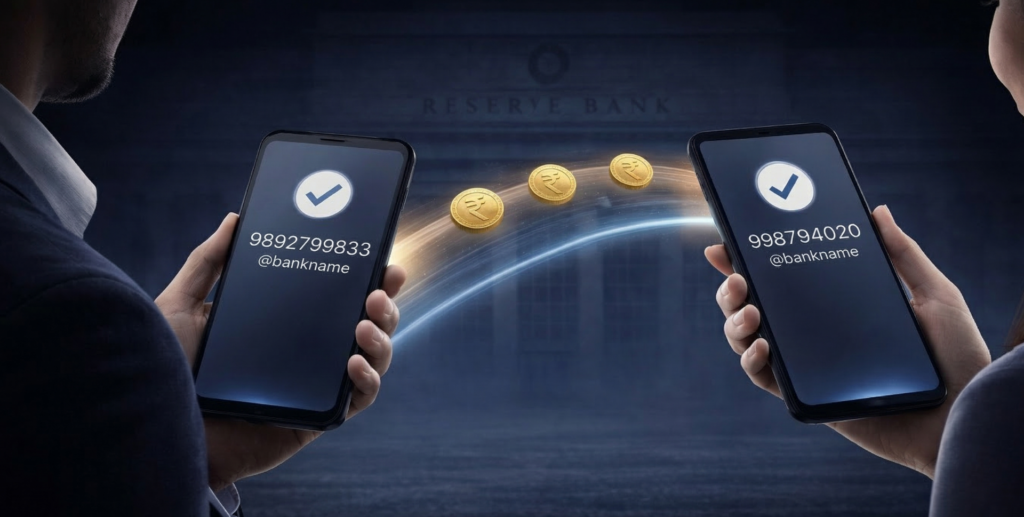
When you make a payment using a VPA, the process is handled automatically by the UPI infrastructure managed by NPCI. Once a user enters a recipient’s VPA, such as priya@ybl, the payment app sends that address to the UPI network.
The network then identifies which bank account is linked to that VPA. After verification, the sender’s bank debits the amount, and the recipient’s bank credits the funds almost instantly. The entire process usually takes seconds to complete.
One of the biggest advantages of using a VPA is security. Since only the payment address is shared, the recipient never sees the sender’s bank account number or IFSC code. This makes UPI payments safer and more convenient than traditional bank transfers.
How to Create a VPA – Step-by-Step for Major Apps
Creating a VPA is simple and usually happens automatically when you set up UPI in a payment app.
On Google Pay, users can open the app, go to their profile, select Bank Account, and complete the verification process. Once the bank account is linked, a default VPA such as mobile@okbank is created automatically. Users can later customize this ID under the payment settings.
On PhonePe, users can navigate to Profile → My VPA, select a preferred prefix such as yourname@ybl, and verify the account using their bank-linked mobile number and UPI PIN.
Similarly, Paytm generates a default VPA during the UPI setup process. Users can manage or create additional addresses by visiting the Manage VPA section within the app settings.
Bank apps such as HDFC, SBI, ICICI, and Axis follow a similar process. Once UPI is activated in the bank’s mobile application, a VPA is automatically generated in formats such as name@hdfcbank or name@sbi.
Complete List of VPA Handles – Banks and Apps
Bank-Issued Handles
| Bank | Handle |
| HDFC Bank | @hdfcbank |
| SBI | @sbi |
| ICICI Bank | @icici |
| Axis Bank | @upi |
| Kotak Mahindra | @kotak |
| Bank of Baroda | @barodampay |
| Punjab National Bank | @pnb |
| Canara Bank | @cnrb |
Third-Party App Handles
| App | Handle |
| Google Pay (Axis) | @okaxis |
| Google Pay (HDFC) | @okhdfc |
| Google Pay (SBI) | @oksbi |
| Google Pay (ICICI) | @okicici |
| PhonePe | @ybl |
| Paytm | @paytm |
| Amazon Pay | @apl |
| BHIM | @upi |
Can You Have Multiple VPAs?
Yes, users can create multiple VPAs linked to the same or different bank accounts. Many people maintain separate addresses for personal and professional transactions.
For instance, a person may use one VPA for personal payments and another for receiving business payments. This helps keep financial transactions organized while still using the same underlying bank account.
VPA Security – How to Stay Safe
A VPA is designed to be shared publicly, but your UPI PIN must always remain private. The PIN is the only credential that authorizes a payment from your account.
Users should avoid creating easily guessable VPAs using their full mobile number or sensitive personal details. Another important precaution is to verify payment requests carefully. Fraudsters sometimes send fake collect requests that appear legitimate. Never approve a payment request unless you fully trust the sender.
Conclusion
A VPA (Virtual Payment Address) is the foundation of the UPI system. It replaces complex bank details with a simple identifier like name@bankhandle, making digital payments fast, convenient, and secure.
Understanding what is VPA, how it works, and how to manage it allows users to take full advantage of the UPI ecosystem. As digital finance expands, tools that simplify payments often open the door to broader financial participation.
Platforms like Appreciate extend this convenience into investing. With features such as Daily SIP starting from ₹11 and access to US ETFs, investors can gradually diversify their portfolios beyond domestic markets while maintaining disciplined investing habits.
FAQs on What Is VPA in UPI
The full form of VPA in UPI is Virtual Payment Address.
In the context of UPI, VPA is the unique ID used to send or receive payments via UPI.
Example of VPA in UPI will be: rahul@okhdfc
Yes. Both terms refer to the same payment address.
Open your preferred UPI app → go to profile → tap view UPI ID.
No. Transactions require your UPI PIN for authorization.
Disclaimer: Investments in securities markets are subject to market risks. Read all related documents carefully before investing. The securities quoted are exemplary and not recommendatory.